
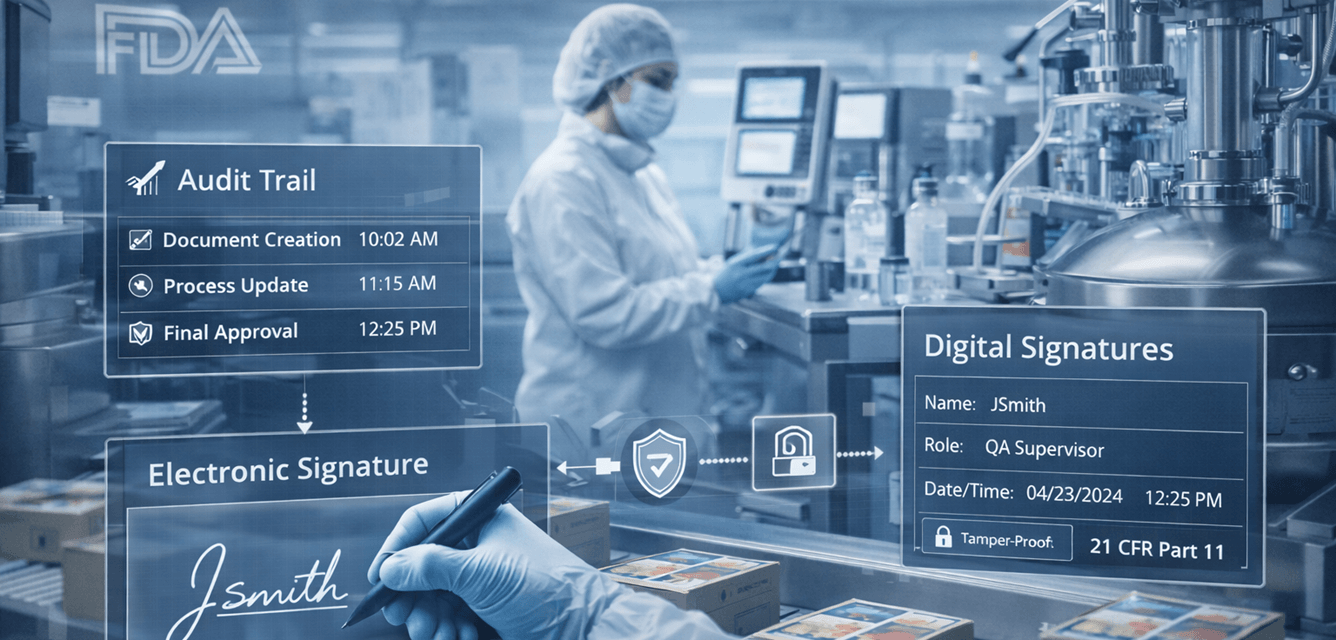
GxP compliance requires pharmaceutical and chemical manufacturers to implement 5–7 core IT controls that ensure systems handling regulated data are secure, validated, and fully traceable. For companies with 20–100 employees, this typically includes audit trails, access controls, system validation, and strict data integrity standards across ERP, QMS, and laboratory systems.
GxP is not a single regulation. It’s a framework (including GMP, GLP, and GDP) that governs how systems manage data related to product quality, safety, and traceability.
What Does GxP Actually Mean (Simple Breakdown)
GxP stands for a group of “Good Practice” regulations that ensure product quality and safety.
The Most Common Types:
1.GMP (Good Manufacturing Practice)
- Focuses on production processes and product quality
2.GLP (Good Laboratory Practice)
- Covers laboratory testing and research data
3.GDP (Good Documentation Practice)
- Ensures records are accurate, complete, and traceable
Key Insight:
GxP is about data you can trust. If your systems cannot prove data integrity, you are not compliant.
The 5 Core IT Requirements for GxP Compliance
To meet GxP standards, your IT environment must support these five core control areas:
- Data Integrity (ALCOA+ Principles)
Data must be:
- Attributable (who created it)
- Legible
- Contemporaneous (recorded in real-time)
- Original
- Accurate
This applies to ERP, lab systems, and production data.
- Audit Trails & Traceability
Systems must log:
- User activity
- Data changes
- System events
Audit trails must be secure and cannot be altered.
- Access Control & Security
You must enforce:
- Role-based access (RBAC)
- Multi-factor authentication (MFA)
- Unique user accounts
Only authorized personnel can access regulated data.
- System Validation
All systems impacting product quality must be:
- Tested before use
- Documented
- Maintained through change control
This includes ERP, QMS, and laboratory systems.
- Backup, Recovery & Data Protection
You must ensure:
- Automated backups
- Regular restore testing
- Data retention policies
- Disaster recovery planning
Data loss = compliance failure.
What IT Systems Are Covered Under GxP
GxP applies to any system that impacts product quality, safety, or traceability.
Common Systems:
1.ERP Systems
- Production tracking, inventory, batch records
2.QMS Platforms
- CAPA, deviations, quality events
3.Laboratory Systems (LIMS)
- Testing data, research results
4.Document Control Systems
- SOPs, procedures, compliance documentation
5.File Servers & Cloud Storage
- Engineering data, reports, shared documents
Key Insight:
GxP compliance extends beyond lab systems. It includes your entire IT infrastructure, including storage, backups, and access control.
GxP IT Compliance Checklist (Quick Self-Assessment)
Ask Yourself:
- Are audit logs enabled across ERP, QMS, and lab systems?
- Do all users have unique accounts with role-based access?
- Is MFA enforced for critical systems?
- Are systems validated and documented?
- Are backups tested regularly (not just running)?
- Do you have documented SOPs for IT processes?
- Can you trace every data change back to a specific user?
If the answer is “no” to any of these, you likely have compliance gaps.
Common GxP Compliance Failures in IT
Most failures are not complex. They’re caused by basic control gaps:
Common Issues
- Missing or incomplete audit trails
- Shared user accounts
- Lack of system validation
- No documentation of IT processes
- Backups not tested or verified
- Weak cybersecurity controls
Consequences of Non-Compliance
- Failed regulatory inspections
- Delays in product release
- Increased scrutiny from regulators
- Risk to patient safety (critical issue)
- Potential fines or operational shutdowns
In regulated environments, IT failures are not just technical. They are business and compliance risks.
How to Achieve GxP Compliance in Your IT Environment (Step-by-Step)
For most manufacturers, achieving GxP compliance takes 60–120 days depending on system complexity.
Step 1: Identify GxP-Relevant Systems
- ERP, QMS, LIMS, file storage, backups
Step 2: Perform a Compliance Gap Assessment
- Review current controls against GxP requirements
Step 3: Implement Required Controls
- Audit logging, MFA, access control, backups
Step 4: Validate Systems
- Test systems and document results
Step 5: Establish Ongoing Monitoring
- Continuous logging, quarterly reviews, compliance updates
GxP compliance is ongoing. It requires continuous monitoring and documentation.
Illustrative Scenario: Improving GxP Compliance for a Chemical Manufacturer
A 70-employee chemical manufacturer in Los Angeles struggled with inconsistent documentation and unverified backups across its ERP and lab systems.
After implementing a structured compliance program:
- Audit logging was enabled across ERP and lab systems
- Role-based access and MFA were enforced
- Backup systems were tested and validated
- IT procedures were documented and standardized
Result:
The company improved audit readiness within 90 days and reduced compliance risk across production and laboratory environments.
Why Work With an IT Provider That Understands GxP Compliance
Pharma and chemical manufacturers benefit from IT providers who understand:
- GxP frameworks (GMP, GLP, GDP)
- System validation and documentation requirements
- Data integrity and audit trail configuration
- Cybersecurity risks in regulated environments
A specialized provider ensures your IT systems are aligned with regulatory expectations, not just operational needs.
Trust Signals
Fothion supports manufacturing companies that require:
- Secure and compliant IT environments
- Reliable system performance and uptime
- Strong data protection and recovery strategies
- IT systems aligned with regulatory frameworks
With over 20 years of experience, Fothion helps manufacturers reduce compliance risk and maintain operational continuity.
Assess Your GxP Compliance Readiness (30 Minutes)
If you’re unsure whether your IT systems meet GxP requirements, the fastest next step is a structured assessment.
Book a 30minute call with Fothion and we’ll:
- identify your top compliance gaps
- review your systems against GxP requirements
- outline practical steps to improve compliance
Book here: https://www.fothion.com/schedule-a-phone-call/
FAQs (with answers):
1.What does GxP stand for in manufacturing?
GxP stands for “Good Practice” regulations, including GMP (Good Manufacturing Practice), GLP (Good Laboratory Practice), and GDP (Good Documentation Practice). These ensure product quality, safety, and data integrity.
2.What is GxP compliance in IT?
GxP compliance in IT means that systems handling regulated data must be secure, validated, and fully traceable. This includes audit trails, access controls, data integrity, and documented processes.
3.What IT systems are affected by GxP compliance?
GxP applies to ERP systems, QMS platforms, laboratory systems (LIMS), document control systems, file storage, and cloud platforms that handle regulated or production-related data.
4.What is data integrity in GxP (ALCOA+)?
Data integrity follows ALCOA+ principles: Attributable, Legible, Contemporaneous, Original, and Accurate. This ensures that all data is reliable, traceable, and protected from unauthorized changes.
5.How long does it take to become GxP compliant?
Most companies can achieve baseline GxP IT compliance within 60–120 days, depending on system complexity, existing gaps, and documentation requirements.
6.What happens if a company fails GxP compliance?
Failure can lead to regulatory action, delays in product release, increased inspections, and potential risks to product quality and safety. In severe cases, operations may be restricted.